We are the digital agency
crafting brand experiences
for the modern audience.
We are Fame Foundry.

See our work. Read the Fame Foundry magazine.

We love our clients.

Fame Foundry seeks out bold brands that wish to engage their public in sincere, evocative ways.


WorkWeb DesignSportsEvents

Platforms for racing in the 21st century.

Fame Foundry puts the racing experience in front of millions of fans, steering motorsports to the modern age.

“Fame Foundry created something never seen before, allowing members to interact in new ways and providing them a central location to call their own. It also provides more value to our sponsors than we have ever had before.”

—Ryan Newman

Technology on the track.

Providing more than just web software, our management systems enhance and reinforce a variety of services by different racing organizations which work to evolve the speed, efficiency, and safety measures, aiding their process from lab to checkered flag.

WorkWeb DesignRetail

Setting the pace across 44 states.

With over 1100 locations, thousands of products, and millions of transactions, Shoe Show creates a substantial retail footprint in shoe sales.

The sole of superior choice.

With over 1100 locations, thousands of products, and millions of transactions, Shoe Show creates a substantial retail footprint in shoe sales.

WorkWeb DesignRetail

The contemporary online pharmacy.

Medichest sets a new standard, bringing the boutique experience to the drug store.

Integrated & Automated Marketing System

All the extensive opportunities for public engagement are made easily definable and effortlessly automated.

Scheduled promotions, sales, and campaigns, all precisely targeted for specific demographics within the whole of the Medichest audience.

WorkWeb DesignSocial

Home Design & Decor Magazine offers readers superior content on designer home trends on any device.


  • By selectively curating the very best from their individual markets, each localized catalog comes to exhibit the trending, pertinent visual flavors specific to each region.


  • Beside the swaths of inspirational home photography spreads, Home Design & Decor provides exhaustive articles and advice by proven professionals in home design.


  • The art of home ingenuity always dances between the timeless and the experimental. The very best in these intersecting principles offer consistent sources of modern innovation.

WorkWeb DesignSocial

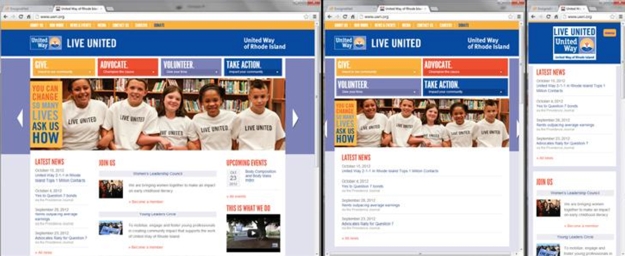
  • Post a need on behalf of yourself, a family member or your community group, whether you need volunteers or funds to support your cause.


  • Search by location, expertise and date, and connect with people in your very own community who need your time and talents.


  • Start your own Neighborhood or Group Page and create a virtual hub where you can connect and converse about the things that matter most to you.

June 2021
Noted By Joe Bauldoff

The Making and Maintenance of our Open Source Infrastructure

In this video, Nadia Eghbal, author of “Working in Public”, discusses the potential of open source developer communities, and looks for ways to reframe the significance of software stewardship in light of how the march of time constantly and inevitably works to pull these valuable resources back into entropy and obsolescence. Presented by the Long Now Foundation.
Watch on YouTube

637 Small changes, big impact: Realistic resolutions

Don’t let the best of intentions fall victim to the realities of day-to-day demands. Instead, focus on making incremental improvements that, collectively, can add up to big results for your site and your bottom line.

March 2021
Noted By Joe Bauldoff

The Case for Object-Centered Sociality

In what might be the inceptive, albeit older article on the subject, Finnish entrepreneur and sociologist, Jyri Engeström, introduces the theory of object-centered sociality: how “objects of affinity” are what truly bring people to connect. What lies between the lines here, however, is a budding perspective regarding how organizations might better propagate their ideas by shaping them as or attaching them to attractive, memorable social objects.
Read the Article

February 2021
Noted By Joe Bauldoff

Has the Pandemic Transformed the Office Forever?

In what feels like the universe's own swinging the pendulum back from the trend of the open floor plan, the corporate world has been forced to use the COVID-19 pandemic as opportunity for workspace experimentation, perhaps in ways that will outlast any stay-at-home order.
Read the Article

February 2011
By JoAnne Laffey Heckman

The Art of Storytelling

Here are 10 tried-and-true tactics to increase your chances of securing media coverage.
Read the article

The Art of Storytelling

books

Column inches. Sound bites. Web page real estate. Inbound links.

These are the metrics by which the success of a public relations campaign is measured.

If you have news or information about your company that you want to share with the world, how do you go about trying to secure these publicity gems?

The key to getting from point A and point B is the story.

While this might seem like a basic concept, there’s much more to it than simply committing facts to paper. You must shape and craft your story strategically to convince reporters, writers and bloggers that it is important and relevant to their audience.

So, the real question is, what makes a good story, and how do you frame it in a way that persuades those who hold the megaphones to re-tell your story for you?

The process of pitching a story is much more art than science.The process of pitching a story is much more art than science, more alchemy than equation. Just like any art form, there is no formula that guarantees success. However, there are a number of tried-and-true tactics you can employ to increase your chances of getting coverage:

Think in literary terms.

Go back to the basics you learned in English lit class. Good stories are built around archetypal themes: good versus evil, perseverance through adversity, the triumph of the human spirit, the hometown boy makes good – the list goes on and on.

Identify the elements of your story that offer universal appeal and frame your story accordingly. For example, a simple press release on your newest executive hire could jump from a passing mention on the comings and goings page to a full-fledged feature if he or she boasts unique personal accomplishments, offers a different perspective or has overcome great obstacles to achieve success.

Make it timely.

By its very definition, news is “of the moment.” Follow news cycles closely and try to find a way to tie your story to current events whenever possible.

Holiday-themed and seasonal stories are always a solid bet, but don’t forget about other observances and commemorative events. Everything from National Breast Cancer Awareness Month to National Safe Boating Week to America Recycles Day could be a great opportunity for you to present a timely story that offers a connection to the news of the day.

Identify your rock stars.

Reporters are always looking for credible experts to provide insight and analysis. Make the media aware of the resources your company has to offer by presenting bios and lists of topics that your key spokespeople are qualified to discuss.

For example, a travel agent could send information detailing the size of her business and years in the industry and offer to share helpful tips on top destinations or how to find the best airfares and hotel rates.

This tactic works particularly well when timed strategically to coincide with relevant news cycles. In the case of the travel agent, she should contact reporters right before the summer and the holidays, when reporters and bloggers are looking for interesting story angles for the peak travel seasons.

Play the numbers game.

Nothing makes for good sound bite fodder like interesting data. Journalists are fact- and, therefore, numbers-driven. A surprising statistic or one that either validates or disproves a commonly held belief is often the spark that gets media tongues wagging.

Add a visual.

Providing a strong visual, such as a photo, chart or compelling video, to accompany your story will definitely increase your chances of coverage. This is especially true when targeting television or web-based media contacts, who often rely on visuals to give depth to their stories.

Also, if you’re planning an event, don’t forget to include a photo opportunity, especially if there will be well-known people in attendance. There’s no easier way to get your event noticed than a photo of a familiar face, whether it’s the mayor, a hometown celebrity or even a prominent member of society.

Do the heavy lifting.

In the wake of budget cuts and downsizing, many traditional media outlets are stretched thin and are grateful for prepackaged stories they can pick up and run as-is when they have a few extra column inches to fill.

Typically, press releases offer solid, factual information that helps reporters build their own stories. However, when targeting smaller news organizations, you may also want to consider sending a fully written article complete with quotes and photos as well as how-to advice, tip sheets or even recipes.

This approach can be very effective for broad-based consumer pitches and is often used by companies such as financial planners, real estate agents, travel agents, party planners, food companies and health care organizations.

Remember that bigger isn’t always better.

Let’s face it, we’d all like to be featured above the fold on the front page of the Wall Street Journal, but often a well-placed local hit is even more effective.

Focus your time and attention where you have the greatest chance of success – and of boosting your bottom line. If your customer base is local rather than national, craft stories that incorporate elements of local interest to help you attain coverage from writers, bloggers and broadcasters that cover your area.

Know their audience and yours.

The demographics – age, gender, education level, professional occupation, income, geographic location and political leanings – of the audience for each media outlet are critically important to determining the story you should pitch.

You can’t pitch the same story to BusinessWeek and Parents magazine. Understand what aspects of your product or service would generate interest in each publication’s core audience and tell your story accordingly.

For example, I once handled the media relations efforts for a small but very rapidly growing online party supply company. We pitched e-business stories to technology trade publications; wrote articles featuring party planning tips for small local print outlets; offered profile pieces on the owner – a working mother herself – to publications targeting parents; and conducted a media tour offering party trends and budgeting tips to national women’s publications, such as Better Homes and Gardens, Good Housekeeping and InStyle.

Keep it simple.

Although there are multiple angles you could pursue for any given story you have to tell, the only way to succeed is to tell it as simply as possible.

Remember that the reader may have little, if any, familiarity with your business or industry. Break down complex information, avoid using jargon or technical terms and use language that everyone can understand and relate to in some fashion.

Put it to the test.

The most important question in determining the strength of a story is “Would I read an article on this topic?” If you cannot honestly answer “yes,” either go back and reframe it or skip it entirely.

Reporters need to know that what you give them is worthy of their time and attention, so if it’s not worth yours, don’t pass it along. Ultimately, if you want to achieve long-term PR success, it’s important to cultivate your reputation as a source of interesting, factual and relevant information.

By inundating reporters with stories that are not legitimately newsworthy, you’ll do more harm than good and make it far less likely that they’ll take your call when you have something truly valuable to share with them.

If you employ these 10 tactics, you’ll create a strong pitch that will stand out in a sea of bland, boilerplate press releases and greatly increase the chances that your story will end up in the headlines rather than the recycling bin.


May 2015
By Jeremy Girard

What Does the Demise of Internet Explorer Mean for the Future of Website Design?

article-deathofie-lg On January 21, 2015, web developers everywhere let out a great collective sigh of relief. Why? Because that was the day Microsoft announced that Windows 10 will ship with a brand new browser, code-named “Project Spartan,” thus effectively signaling the inevitable demise of the old stalwart Internet Explorer. According to Microsoft, Spartan is designed to provide a more interoperable and reliable experience with advanced features including the ability to annotate web pages, a distraction-free reading experience and integration of Cortana for finding and doing things online faster. Spartan-desktop spartan-mobile While this all might sound appealing to the average user, it is particularly welcome news for web developers, for whom Internet Explorer has long been regarded as the very bane of their existence. You see, each browser interprets code in different ways, and each has different versions that offer different capabilities. While Chrome, Firefox and Safari do have their differences, for the most part they have the same capabilities. However, Internet Explorer, or IE, has historically been the odd one out, notorious for causing issues for website designers due to its lack of capabilities, especially in older versions like IE7 and IE8 (which, for example, does not support such simple design elements as rounded corners and text shadows). But while web devs are raising their glasses to toast IE’s impending downfall, you’re probably left with more than a few questions. After all, since IE has been the standard Windows browser since the mid-1990s, that little blue “e” icon has become synonymous with the Internet for many everyday users. So what exactly does Microsoft’s decision to do away with Internet Explorer mean for you – and most importantly – for your website? Let’s explore (no pun intended).

The challenges of IE

On today’s Web, the various browser manufacturers have agreed on a certain set of standards that they will all obey. This is incredibly important for web designers (and, by extension, for businesses that have websites), because it means that as long as your website conforms to those agreed upon standards, it should be displayed in a fairly consistent manner no matter which browser a visitor uses to access your site. Unfortunately, this is not always the case. In the mid-to-late 1990’s, Microsoft was engaged in a heated race for market share with the other most popular browser of the day, Netscape Navigator. Instead of agreeing on a singular set of standards, these two companies tried to outdo each other by adding proprietary features to their software that would interpret and display websites differently. This created a lose-lose scenario for web designers and businesses, as it meant that you either had to develop two different versions of your site (one for each popular browser) or dictate which browser visitors should use (this is why it became commonplace to see disclaimers on sites reading something like “Best viewed in Internet Explorer 4”).  This exclusive approach is what led some companies to build the software they use to run their business for those specific platforms. Even now, almost 20 years later, companies that continue to use that software may still be dictating that their employees must use a woefully outdated browser. This is where IE begin to falter, especially in the court of public opinion. As newer browsers, such as Google’s Chrome – which now ranks as the most popular according to many studies – began to enter the market, people started using them at home. They quickly discovered that these modern browsers were not only much faster but that they also included many new features and capabilities. It didn’t take long for consumers to develop a strong preference for these newer browsers and to begin pushing back against their IT departments’ requirements that were keeping them shackled to antiquated versions of IE at the office.

Microsoft realizes the problem

You might think that Microsoft would love any scenario in which people are forced to use their browser. On the contrary, however, it has created a major PR problem for them. The same IT departments that would not allow employees make the switch to a new browser also prevented them from upgrading to newer versions of Internet Explorer. The reality is that those new versions of IE are very capable browsers that, like the others on the market today, conform to the standards that are an important part of modern web design. Microsoft wants customers to begin using these new versions of their software because the continued use of versions that were originally released 10 years ago or more has created a vey negative perception of their product in the marketplace that has tainted the Internet Explorer brand as a whole.

The struggles of web designers

While old versions of web browsers certainly pose problems for consumers, they are doubly challenging for web designers and for the companies they build sites for. Testing newly developed websites in legacy browsers to ensure reliable backwards compatibility  is a critical step in the process that requires significant time and effort, creating overhead that adds to the timeline and budget of every project. Exactly how many people are visiting your site with those outdated browsers? It depends on the nature of your business. For instance, my company works primarily with IT professionals, and our traffic numbers indicate that the majority of our audience uses newer browsers (including many on mobile devices). As a result, we don’t need to develop and test for very old browsers because our visitors simply aren’t using them. However, if your business serves a more broad base of consumers – and especially if many of your customers are likely to be older and/or less tech savvy – it is important to ensure that your site performs equally well on new and old browsers alike. A good place to start is by examining the analytics data for your site, which can tell you which browsers are being used to access your site. One of the nice things about newer browsers like Chrome and Firefox (and even current versions of IE) is that they auto-update. This means that they automatically download and install their own updates so we no longer need to worry about radically outdated versions of the software. However, older versions of IE do not do this, which is why we still struggle to support software that came out over 10 years ago. With Microsoft’s new browser – which we expect will include auto-update approach – we may hopefully have arrived at a point where even that legacy software is forced to be rewritten for the new age and we can all say a final goodbye to outdated browsers.

Better days ahead

So what does the emergence of Project Spartan mean for your business and your website? In the short term, you may not feel an immediate impact, but you likely will begin to reap the benefits in the not-too-distant future. If Microsoft succeeds in its objective of transitioning customers away from old versions of IE and adopting their new Project Spartan (or other more current and capable browsers), by the next time you are ready for a redesign, the amount of time required for browser testing may be significantly reduced because the browser landscape will have gotten less diverse with the continued shift away from those legacy browsers, which can only mean good things for your project budget! Another benefit will be a greatly reduced potential for users to encounter problems on your site due to browser compatibility issues, which of course means less chance that a frustrated visitor will need to call your company for support (best-case scenario) or will give up on your site and go elsewhere (worst-case scenario). Finally, the release of a new, more capable option from a company that has been at the forefront of browsers for years (despite popular opinion, Microsoft remains a power player in the world of the Web) is a great thing because it gives users more options. And if Microsoft is successful, their competitors will inevitably up their game as well – and that is good news for everyone!

Don’t throw dirt on IE’s grave just yet

While there is certainly much to look forward to with the future release of Project Spartan, unfortunately, we can’t call time of death on IE yet (as much as we might like to). As AdWeek’s Krista Monllos explained to NPR, Spartan is in for an uphill battle: “By introducing a new browser, you're asking people to change their daily habits. If someone is used to Chrome or used to whatever it is they use, they probably don't want to change.” After all, Internet Explorer still accounts for almost a quarter of the present-day desktop browser market, and IE8 is still used by almost seven percent of people in the United Sates. Therefore, moving forward, it will be important to keep a finger on the pulse of the shift in these numbers – as well as any changing trends in your own analytics data – in order to ensure that your site is designed and tested to serve the needs of your users, no matter where they may fall in the continuum of browser evolution.