8 Must-Haves for the Ultimate TV
September 2010
By The Architect

Leading up to Apple's Special Event in San Francisco on September 1, the media was buzzing with speculation about the new products that would be unveiled, and much of that hype centered around
Apple TV.
The possibilities
All of the chess pieces were aligned for Apple to deliver a device that would forever change at-home entertainment:
- They had established a unique leadership position in touch-based operating system usage.
- They had asserted dominance in app development and distribution.
- They had proven their adeptness in bringing skeptical production studios and media distributors into the Digital Age.
- They had already introduced FaceTime and its tremendous potential to bring video communications to the masses.
- They had built an enviable ready-made market with their existing 160 million iTunes subscribers.
- Above all, they had an unrivaled reputation for innovation in marrying beautiful design and incredible functionality in consumer electronics. After all, this was the same company that just earlier this year changed the game for mobile computing with the introduction of the iPad.
The reality
Instead of reinventing the TV, Apple went for the easy win. With the acknowledgment that Apple TV had never been their most well-received device, they made the box smaller and more affordable but limited its primary function to streaming a la carte TV show and movie rentals from the iTunes store as well as content from a select few services such as Netflix, YouTube, MobileMe and Flickr.
With its highly accessible $99 price point, Apple TV will likely be a big seller for Apple this holiday season, but it's not ultimately what the market demands.
On the brink of a revolution
AppleTV – along with
Boxee,
Roku and
Google TV – still leaves something to be desired when it comes to maximizing the potential of the entertainment center in the Digital Age. As a result, the family living room remains the final frontier of media that has yet to be conquered. The way in which content is delivered, accessed and consumed on home televisions is primed and ready for a revolution.
The way in which content is delivered, accessed and consumed on home televisions is primed and ready for a revolution.
Consumers are longing to break free from the shackles of paying exorbitant monthly fees for cable packages with channels and programming they find largely irrelevant and inapplicable. They want unconstrained freedom of choice in how and when they consume content. And they want a single plug-and-play device that unlocks all forms of entertainment.
So what will it take to harness the best of today’s technology and deliver a more intelligent home entertainment experience? Here are the eight absolute must-haves for the ultimate next-generation TV.
1. A computer

In his
keynote at the September 1 event, Apple CEO Steve Jobs revealed that the research performed by the company prior to developing the latest Apple TV indicated that consumers do not want another computer in the living room.
However, in order for the ultimate TV to meet the needs and expectations of today's information-centric culture, it must
be a computer. The secret to its success will be providing a wide range of functionality and effortless simplicity of use so that it
feels nothing like a computer.
The most common living room operating systems of today are Xbox, PlayStation and Wii, all of which are limited in function beyond gaming. While Microsoft, Sony and Nintendo have all dabbled in streaming media and connectivity to select web applications, not one of these devices can deliver the same foundation of information-driven utility that a true computer can provide.
The living room system of the future must go beyond these gaming consoles and provide a platform for an unlimited array of applications to perform as they would on any other computing device. In the same way Apple revolutionized mobile operating systems with powerful handheld devices that allow users to take the core functions of a traditional computer with them anywhere and everywhere, the same technological leap forward must happen in the living room.
2. Touch-based interface and control

Modern TV interfaces are ready and waiting to be re-imagined. In fact, one of the greatest obstacles impeding the evolution of TV is not the box itself but the remote control. This tired, old, button-riddled device simply isn’t cut out for the job of steering more complex functions than channel-changing.
In 1996, WebTV was ahead of its time in trying to bring e-mail and web browsing to the living room. At the time, their only means of bridging the interface gap between a traditional computer and a television set was the keyboard – not the most appealing way to surf while trying to relax on the couch. Since then, other systems and devices have come and gone. All of them attempted to provide computer-like utility that could be controlled from across the room; all have failed due to the shortcomings of the on-screen interface, the input device or both.
What will ultimately dethrone the remote control? Its successor will combine the ease-of-use of a basic remote with the intuitiveness of a rugged, touch-based interface much like that which drives Apple's current lineup of iOS devices.
The ability to select, drag, move, rotate, scroll, swipe and even bring up soft interfaces such as a keyboard on the fly will make it possible for users to access the core functions of a traditional computer easily and effortlessly. In addition, devices with built-in displays and software like iPods and iPads offer the capability to display information from the TV on the device itself, unlocking enormous potential in interactivity and control.
3. Remote control beyond touch

While touch is unquestionably integral to the future living room OS, it isn't the final frontier.
Voice control and feedback will do for the living room what touch did for mobile devices. Yes, you'll still want to manipulate the on-screen interface through touch, whether on the TV itself or from the comfort of your couch.
Voice control and feedback will do for the living room what touch did for mobile devices. But just imagine having the ability to tell the OS to "show me reservation availability for the Blue Note Restaurant on Lafayette" or "Skype David Booker at his office" or "Google the best wine to serve with chicken parmesan." The OS, in turn, can also ask you questions and deliver information in a clear, natural-sounding voice.
The seamless integration of touch- and voice-based control – a feat that has yet to be mastered in any existing OS to date – will be essential to creating a next-generation TV that delivers powerful computer-based utility while remaining simple and pleasurable to operate in a living room environment.
4. App-driven content delivery
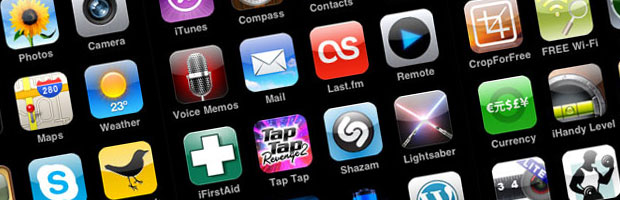
The iPhone never fully hit its stride until Apple opened up its operating system to application developers and provided users with an easy way to purchase and run these apps within its OS.
Likewise, opening the living room operating system to application development and establishing a marketplace that allows those apps to be published, bought and rated will make possible a breadth and depth of utility that far exceeds what any one software or hardware developer could provide. In addition to customizable content delivery, apps will offer a user-friendly way to engage in core computing functions such as e-mail, web browsing, contact and schedule management and document creation right from the couch.
The ability to develop apps for just about any purpose imaginable combined with the power of a computer and a highly intelligent interface similar to Apple’s iOS will pave the way for the next-generation TV to be integrated into our digital lives like never before. It will easily become most comfortable, useful and entertaining device in your home.
5. Video communications

The living room is the hub of social activity in the home. The act of gathering around a TV show, movie or sporting event is as much about being together as it is entertainment. Thus, transforming the TV of the future into a video communications platform is a natural digital extension of that experience.
Microsoft already has one foot in the door with
Xbox LIVE, which connects people from couch to couch via camera, often while gaming. However, bridging the divide from one manufacturer’s game consoles talking to each other to making video communications accessible to the masses will require more than just an advancement in technology.
The only way to conquer this gaping hole in the market will be to open up the protocol and enable hundreds of millions of different devices to be connected through a single universalized standard.
So far, no one has even come close to meeting this challenge. However, the one company that is currently in the best position to make it happen is Apple. Now that their proprietary FaceTime technology has made the leap from the iPhone 4 to the fourth-generation iPod touch, they have passed the first milestone in untethering video communications from a phone network. While FaceTime isn’t ready to replace the phone just yet, it is the first and most viable contender to fast-track the evolution of mainstream real-time face-to-face communication and to unleash the power of that technology in the living room.
6. Universal compatibility

When Apple first made its foray into the digital music market, it would easily have preferred the competitive advantage of forcing the masses to accept its own proprietary audio format. However, the MP3 had already established too strong a foothold in the market, so Apple caved to the wisdom of giving the consumer a familiar product they could use without any technical hassles.
The same situation exists now for video, as the wide variation in standards has been one of the toughest obstacles in universalizing digital video.
Knowing and understanding the compatibility of many different formats is not something that any consumer wants or should have to contend with. Instead, the next-generation TV device must incorporate a player that can do the heavy lifting in handling the full spectrum of available formats with zero hassle. Existing media operating systems – including many open-source development projects like
Boxee,
XBMC and
Plex – already boast this type of "play anything" capability.
In the same way Apple and iTunes were forced to bow to the ubiquity of the MP3, the TV of the future must be able to play anything you throw at it rather than trying to establish arbitrary constraints on acceptable digital video formats.
7. An integrated gaming console

Gaming is a major slice of the living room entertainment pie. Microsoft, Sony and Nintendo have each staked their claim on an enormous slice of this market with their existing gaming platforms.
However, with its triple-threat of the iPod touch, iPhone and iPad, Apple has pulled the rug out from under both Sony and Nintendo in the handheld gaming market. Portable devices that allow users to instantly purchase and play great games in addition to making calls, delivering e-mails, surfing the Web and performing thousands of other everyday tasks are inevitably going to destroy anything that offers gaming alone.
With the ultimate TV on the horizon, the specter of extinction looms large for the Xbox, PlayStation and Wii.Similarly, with the next-generation TV on the horizon, the specter of extinction looms large for the Xbox, PlayStation and Wii. While these consoles have evolved to enable users to rent movies and stream content from select providers such as Netflix, it is only a matter of time until they are eaten alive by an all-in-one digital hub.
This is why leading up to Apple’s latest Special Event, AppleTV held such promise to deliver this one-two punch of gaming and entertainment. With all the weapons in Apple’s arsenal, AppleTV would in theory have the capacity to combine powerful computing capabilities, an iOS-like operating system, video communications and an app platform that would allow users to purchase and play today's most advanced HD games on-demand in the living room.
Along with a new way of gaming, the future all-in-one TV will bring with it a new array of options for gaming control. The ultimate TV should accept a variety of input mechanisms – from traditional-style controllers to motion-sensing interfaces to touchscreens – that allow games to be played as the games themselves dictate. For example, Apple may not release a steering wheel controller for driving games, but AppleTV should hypothetically be able to accept devices that are built for this purpose.
8. Extendability

The movement of computing away from the desk has been going on for quite some time. Stodgy old desktops evolved into more portable laptops and then achieved even greater mobility with the advent of smartphones.
But that’s only half the story. The other half is the migration of computing away from the home office and into the living room. The future all-in-one TV will replace the traditional computer as the home's digital media and entertainment hub.
As a result, the ultimate TV system must provide a home base for all media storage and communication. For the device to be successful, its standards and protocols must interoperate flawlessly and effortlessly with other hardware devices and cloud-based systems so that family photos, home movies, music, recipes, budget spreadsheets, homework and other documents can be accessible from anywhere – not just in the home but in the world.
Why hasn't this happened?
With the iPhone, I can have one device in my pocket that not only replaces a portable computer, media player, digital and video cameras and personal gaming gadgets but also lets me customize its functionality and consume the content I choose via apps.
Why can't the same happen in the living room? Why do I still need a television set, cable box, DVR and Xbox? Why I am still a slave to cable packages and TV time slots?
The technical challenges of conquering the interface of an iOS-like-driven device, a couch-to-TV remote control scheme and compatibility with all possible media formats while providing an app development marketplace that will appease the media establishment pose great obstacles still. Apple has stated repeatedly that it will not attempt to play in a new medium until it can transform it.
We may not be there just yet, but the ultimate TV is destined to come and to revolutionize not only the way we consume content but also how we engage with one another in the experience of home entertainment.
What does this mean for the future of marketing?
In the same way the Information Age and the era of mobile computing have rendered traditional marketing ineffectual, the living room media revolution will seal its fate forever.
In the absence of a means by which to force-feed your message to the masses, trustcasting will be the only way to grow business.The ultimate TV will inevitably topple the few remaining channels for outmoded carpet-bombing marketing tactics, allowing interactivity and the power of choice to prevail. In the absence of a means by which to force-feed your message to the masses,
trustcasting – the process of building and maintaining trust with customers – will be the only way to grow business.
Don’t wait for the tide to turn and be forced to dig your way out. Start today. Begin engaging your marketplace now. Become a leader in your
tribe. Infuse your work and your message with passion. Be authentic and make a real investment in your customers. If you do, you'll continue to grow when the last bastion of non-interactive media is conquered in the age of information, interactivity, communication and choice.
Behind every superstar website there is an architect, scrutinizing every single detail, cutting through the nonsense, and challenging every aspect to craft a masterpiece that gets noticed and gets results.