We are the digital agency
crafting brand experiences
for the modern audience.
We are Fame Foundry.

See our work. Read the Fame Foundry magazine.

We love our clients.

Fame Foundry seeks out bold brands that wish to engage their public in sincere, evocative ways.


WorkWeb DesignSportsEvents

Platforms for racing in the 21st century.

Fame Foundry puts the racing experience in front of millions of fans, steering motorsports to the modern age.

“Fame Foundry created something never seen before, allowing members to interact in new ways and providing them a central location to call their own. It also provides more value to our sponsors than we have ever had before.”

—Ryan Newman

Technology on the track.

Providing more than just web software, our management systems enhance and reinforce a variety of services by different racing organizations which work to evolve the speed, efficiency, and safety measures, aiding their process from lab to checkered flag.

WorkWeb DesignRetail

Setting the pace across 44 states.

With over 1100 locations, thousands of products, and millions of transactions, Shoe Show creates a substantial retail footprint in shoe sales.

The sole of superior choice.

With over 1100 locations, thousands of products, and millions of transactions, Shoe Show creates a substantial retail footprint in shoe sales.

WorkWeb DesignRetail

The contemporary online pharmacy.

Medichest sets a new standard, bringing the boutique experience to the drug store.

Integrated & Automated Marketing System

All the extensive opportunities for public engagement are made easily definable and effortlessly automated.

Scheduled promotions, sales, and campaigns, all precisely targeted for specific demographics within the whole of the Medichest audience.

WorkWeb DesignSocial

Home Design & Decor Magazine offers readers superior content on designer home trends on any device.


  • By selectively curating the very best from their individual markets, each localized catalog comes to exhibit the trending, pertinent visual flavors specific to each region.


  • Beside the swaths of inspirational home photography spreads, Home Design & Decor provides exhaustive articles and advice by proven professionals in home design.


  • The art of home ingenuity always dances between the timeless and the experimental. The very best in these intersecting principles offer consistent sources of modern innovation.

WorkWeb DesignSocial

  • Post a need on behalf of yourself, a family member or your community group, whether you need volunteers or funds to support your cause.


  • Search by location, expertise and date, and connect with people in your very own community who need your time and talents.


  • Start your own Neighborhood or Group Page and create a virtual hub where you can connect and converse about the things that matter most to you.

June 2021
Noted By Joe Bauldoff

The Making and Maintenance of our Open Source Infrastructure

In this video, Nadia Eghbal, author of “Working in Public”, discusses the potential of open source developer communities, and looks for ways to reframe the significance of software stewardship in light of how the march of time constantly and inevitably works to pull these valuable resources back into entropy and obsolescence. Presented by the Long Now Foundation.
Watch on YouTube

182 Hot now

With just a little creativity, you can use Facebook and Twitter to bring more customers through your doors today.

March 2021
Noted By Joe Bauldoff

The Case for Object-Centered Sociality

In what might be the inceptive, albeit older article on the subject, Finnish entrepreneur and sociologist, Jyri Engeström, introduces the theory of object-centered sociality: how “objects of affinity” are what truly bring people to connect. What lies between the lines here, however, is a budding perspective regarding how organizations might better propagate their ideas by shaping them as or attaching them to attractive, memorable social objects.
Read the Article

775 Boost email open rates by 152 percent

Use your customers’ behavior to your advantage.

November 2010
By The Developer

Business Toolbox: How to Standardize Your E-mail Signature

Your e-mail signature is an important extension of your company’s brand, but ironically, it defies many common conventions of branding.
Read the article

Business Toolbox: How to Standardize Your E-mail Signature

inbox E-mail is the workhorse of communication for your business. It’s likely to be your first point of personal contact with prospective customers as well as your go-to vehicle for conducting day-to-day conversations with existing clients. As a result, your e-mail signature is an important – but all too often overlooked – extension of your brand. Just as you wouldn’t mail a letter or a proposal printed on any old paper stock, you should give equal consideration to creating and implementing a standardized corporate e-mail signature. However, this is where things get a little tricky. While your e-mail signature serves as your electronic business card, it doesn’t play by the same rules of branding that govern your stationery, website design or even participation in social media networks. Here are five common misconceptions that can lead you astray when crafting your signature:

1. If I’m going to represent my brand, I must include my logo.

According to conventional thinking, your company’s brand and logo are one and the same. However, as counterintuitive as it might seem, it is best not to include your logo in your e-mail signature. Why? Because it is difficult to control how images are interpreted and displayed by different e-mail clients. Most e-mail applications either store images as attachments or block them, resulting in a broken image. Therefore, if you construct your signature around a logo, and that image frequently is not displayed, it compromises the consistency and professionalism that you are trying to achieve. The best, most universally replicable alternative is to integrate your corporate colors in your signature, albeit with restraint. For example, you might choose to display your company name in one of your corporate colors, which will make it the most prominent element while also employing one of the primary elements of your visual brand.

2. Personality, personality, personality...it’s all about personality, right?

In marketing, yes. On Facebook, Twitter and LinkedIn, you’ll never get anywhere without personality. However, when it comes to e-mail, make sure your messages are friendly and personable, but keep your signature strictly professional. The one and only purpose of an e-mail signature is to let the recipient know who sent the message and provide a way for them to get in touch with you. You might think it’s fun to include your favorite quotation in every e-mail, but in doing so, you run the risk of unknowingly offending a client or prospect. And never include any non-company-related information in your corporate e-mail signature. Not a link to your personal blog, not the URL of your side-project website, not your Facebook, Twitter or Skype details. That’s only asking for trouble.

3. It’s important to make a lasting impression.

The only impression you want your e-mail signature to make is professionalism. If your clients remember your signature and not the point of your message, there’s a problem. Don’t give into the temptation to experiment with large, bold or multi-colored text. Don’t try to use the typeface from your logo; more often than not, it won’t be displayed properly by the recipient’s e-mail client. Stick with simple, plain, web-safe fonts in the same size as the body of your message, and you can’t go wrong. Returning to the example of mailing a letter or a proposal, there’s a reason you would never print your correspondence on multi-colored florescent paper. Like your letterhead, your signature should reflect the legitimacy and gravity of your business-related communication. It should never compete with your message or in any way distract from the information you need to convey.

4. I need to make sure that my clients can reach me by any and every means necessary.

There’s no question that great customer service is a key competitive edge in today’s marketplace. And it’s understandable why giving your clients your direct office line, 800 number, cell phone, fax number, IM handle, mailing address and LinkedIn profile would seem to convey that you are accessible at their convenience through any number of channels. However, a much better way to serve your clients is to provide the one method of contact through which they can almost always reach you. Most of the time, this will be a phone number (pick one: work or mobile). Then, rather than having to sift through a dozen different means of communication to identify the one they need or play guessing games about which one will connect them to you in the most expedient manner, it will be right there for them to find at a glance. As a rule, there’s no need to include your fax number or your mailing address in your e-mail signature. In the unlikely event that your client needs to send you something by fax or mail, you can either include this information in the body of your message, or they can jump over to your website, where these details should always be readily available.

5. I want to drive traffic to my blog / encourage people to follow me on Twitter / promote a limited-time offer.

These are all great marketing objectives. However, you must always keep in mind that e-mail is, first and foremost, a platform for communication between one human being and another. You wouldn’t wrap up a phone conversation with your client by asking them to be your friend on Facebook, and you wouldn’t conclude a sales meeting by making a blatant plug for your blog. Your e-mails aren’t billboards for your marketing message du jour; always keep it personal and professional. Including your website URL in your signature is a good way to indirectly promote your business, its presence on various social media networks and targeted marketing efforts without cluttering up your e-mail messages. If your customer or prospect clicks through to your site, they should be presented with all of these options – most likely before they ever leave the cover page.

Best practices for a professional e-mail signature

Follow these tried-and-true guidelines to ensure your e-mail signature is polished, professional and customer-friendly:
  • Focus on providing only the most essential information about who you are and how you can be reached in an effective and unobtrusive way.
  • Limit your signature to four lines (the accepted standard), with a maximum of 72 characters per line to optimize how it is displayed in different e-mail applications. Combine different types of information on one line by using pipes (|) to separate the text.
  • Typically, you should include only your name, job title, company, primary method of contact and corporate web address. Don't repeat your e-mail address in your signature.
  • Write out the URL for your company website rather than using hyperlinked text.
  • Create different signatures for different purposes. For example, you might have one version for e-mails you send to vendors that includes your office line and another for client correspondence that provides your cell number.
  • Always add a signature to replies, but include fewer details. For example, whereas your primary e-mail signature would most likely include your name, position, company name, contact information and web address, your reply signature might provide only your name, primary form of contact and web URL.
  • Don’t include a legal disclaimer unless required to do so. The best practice is not to transmit confidential information in plain text in e-mails because that information could easily be extracted or forwarded.
  • Use a signature delimiter to create visual separation between your signature and the body of your e-mail. The standard protocol recognized by most e-mail clients is two hyphens followed by a space and a line break (-- ).
  • Don't use HTML formatting, as it can interfere with how your signature is displayed in some e-mail clients.
  • Simple, plain text in the same size as the body of your e-mail is best. Employ bold or colored text very sparingly for emphasis, and use only your corporate colors.
  • Don't use an image as your signature, and avoid including images in your signature.
  • Be sure to test your signature in as many different e-mail clients as you can (including web-based applications like Gmail). Don't forget to also check how your signature looks when forwarded to ensure that all lines wrap correctly.

Do this:

-- John Jones CEO, ABC Technology Group 555-555-5555 http://www.abctechgroup.com

Don’t do this:

bad_signature

November 2012
By Tara Hornor

5 Must-Haves for Today's E-Commerce Website

E-commerce is big business, but not all e-commerce websites are created equal. Make sure yours has what it takes to keep your cash registers ringing.
Read the article

5 Must-Haves for Today's E-Commerce Website

ecommerce-musthave-article

E-commerce has come a long way in the last few years. We now have phases of the online shopping experience going back to the 90s up to the modern, fully social shopping experience.

The current e-commerce website looks very little like what shopping looked like even a few years ago, but not everyone is on board. There are still a lot of sites that are more "traditional" in their shopping experience. If your website still offers the same layout as it did even just a few years ago, it may be time for an upgrade. So check out these modern trends in e-commerce and see if you need to integrate the latest technology into your online store.

Social...very social

Shopping has always been about the social experience. There's nothing quite like window shopping with your friends or trying on a pair of shoes to get your friend's opinion. Ecommerce doesn't come close. Or at least it didn't until recently. Now shopping has become quite the social experience online when you have sites like Pinterest, Twitter, and Facebook that are intimately intertwined with most shopping experiences.

Top e-commerce sites, such as Amazon.com, include social media buttons on each page so that customers can easily share products or purchases with friends and family. Others also provide the option to sign in using social media accounts. To really capitalize on the sharing feature, some websites also encourage social sharing immediately after someone leaves a review or makes a purchase simply by placing social sharing widgets on the Thank You page. While Facebook and Twitter are definitely the big social sites to include, do your research and find out where customers most commonly share your products.

Mobile optimized

Another major change has been the use of mobile phones for shopping. Sites used to have a one-size fits all approach. Then came the mobile version of a site. Now, sites utilize responsive web design and adaptive web design to present the same information in different formats.

To really improve conversions via mobile shoppers, e-commerce sites have to remember that mobile customers are usually on the go and simply wanting a quick and easy experience, whether it's researching prices or making a purchase. You can simplify a site for mobile by including a banner and a menu that only includes options that mobile users need, such as popular products, categories of products, a product search, account login, or whatever your customers seem to access via your mobile site. Check out these 10 laws for a successful mobile e-commerce site to see more excellent tips and examples on mobile design.

Ratings rule

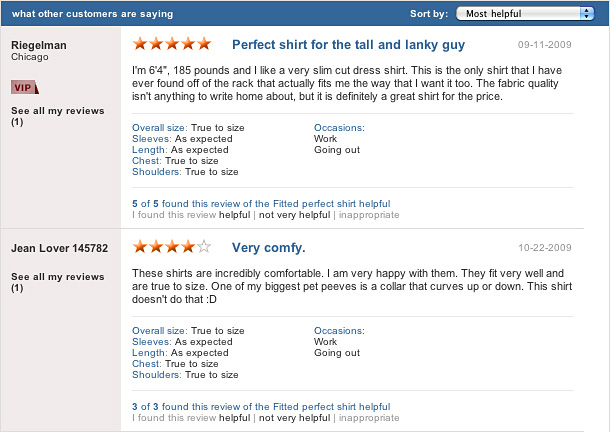
People love to have their opinions heard - by both their social circles and you, the vendor. Rating systems give people the opportunity to both praise (or pummel) the store from which they've purchased. In turn, others who may be interested in a product can read reviews and ratings to get a sense of your level of service.

Rating systems are just about mandatory these days. Not having any reviews can be worse than having poor to medicocre ratings. It's risky. You can use this risky business to your advantage, though. Take the feedback and the invaluable data and turn it into something that empowers and improves what you do. Plus, negative reviews can actually increase consumer purchases by as much as 67%! Most commonly, e-commerce websites place the opportunity for reviews on each product page. For those of your customers who are less verbal, offer a way for them to click on stars to simply rate a product without having to leave a comment if so desired.

One-click wonders

Finally, modern e-commerce sites make it easy to purchase and move on. It's not about loading up a "shopping cart" any more. People buy one thing and get out. More and more data indicates that consumers shop for a single item and they're done, especially when shopping through a mobile device. A recent study, in fact, found a 20% improvement when consumers had the option to complete a purchase on one click. You can try to upsell, but you may want to leave this for after the purchase. Shoppers online want a fast, easy to use purchasing process unencumbered by the likes of confirming what's in their cart.

Give them the option to buy with a one-click like purchase and keep the cart as a back up if you must. For instance, you could remove the shopping cart option from your mobile version but allow customers to use it if needed when accessing your desktop version. But don't be surprised if you abandon the cart just like consumers are doing. Top e-commerce sites such as iTunes have certainly found single-click purchasing to be a huge success.

A modern e-commerce site is increasingly social, optimized for all kinds of browsing devices, has a rating system, and makes it fast and easy to purchase. Is your system up to speed or do you still have shopping cart isolated from the outside social media world?