We are the digital agency
crafting brand experiences
for the modern audience.
We are Fame Foundry.

See our work. Read the Fame Foundry magazine.

We love our clients.

Fame Foundry seeks out bold brands that wish to engage their public in sincere, evocative ways.


WorkWeb DesignSportsEvents

Platforms for racing in the 21st century.

Fame Foundry puts the racing experience in front of millions of fans, steering motorsports to the modern age.

“Fame Foundry created something never seen before, allowing members to interact in new ways and providing them a central location to call their own. It also provides more value to our sponsors than we have ever had before.”

—Ryan Newman

Technology on the track.

Providing more than just web software, our management systems enhance and reinforce a variety of services by different racing organizations which work to evolve the speed, efficiency, and safety measures, aiding their process from lab to checkered flag.

WorkWeb DesignRetail

Setting the pace across 44 states.

With over 1100 locations, thousands of products, and millions of transactions, Shoe Show creates a substantial retail footprint in shoe sales.

The sole of superior choice.

With over 1100 locations, thousands of products, and millions of transactions, Shoe Show creates a substantial retail footprint in shoe sales.

WorkWeb DesignRetail

The contemporary online pharmacy.

Medichest sets a new standard, bringing the boutique experience to the drug store.

Integrated & Automated Marketing System

All the extensive opportunities for public engagement are made easily definable and effortlessly automated.

Scheduled promotions, sales, and campaigns, all precisely targeted for specific demographics within the whole of the Medichest audience.

WorkWeb DesignSocial

Home Design & Decor Magazine offers readers superior content on designer home trends on any device.


  • By selectively curating the very best from their individual markets, each localized catalog comes to exhibit the trending, pertinent visual flavors specific to each region.


  • Beside the swaths of inspirational home photography spreads, Home Design & Decor provides exhaustive articles and advice by proven professionals in home design.


  • The art of home ingenuity always dances between the timeless and the experimental. The very best in these intersecting principles offer consistent sources of modern innovation.

WorkWeb DesignSocial

  • Post a need on behalf of yourself, a family member or your community group, whether you need volunteers or funds to support your cause.


  • Search by location, expertise and date, and connect with people in your very own community who need your time and talents.


  • Start your own Neighborhood or Group Page and create a virtual hub where you can connect and converse about the things that matter most to you.

June 2021
Noted By Joe Bauldoff

The Making and Maintenance of our Open Source Infrastructure

In this video, Nadia Eghbal, author of “Working in Public”, discusses the potential of open source developer communities, and looks for ways to reframe the significance of software stewardship in light of how the march of time constantly and inevitably works to pull these valuable resources back into entropy and obsolescence. Presented by the Long Now Foundation.
Watch on YouTube

171 Flex your expertise: Share your wisdom

In today's episode, our step-by-step guide to using the LinkedIn Answers forum to generate sales leads continues with step three: introducing yourself to new potential customers by sharing your expertise in the community.

775 Boost email open rates by 152 percent

Use your customers’ behavior to your advantage.

774 Feelings are viral

Feelings are the key to fueling likes, comments and shares.

December 2013
By Jeremy Girard

Keep it Social

Social media should be just that – social – so never sacrifice the human touch for the sake of automation and efficiency.
Read the article

Keep it Social

social-article Human communication is complex. The words that you use, the tone and volume of your voice as well as your body language and facial expressions all play a role in how your message is received by those that you are communicating with. A poorly chosen phrase or a simple misstep in your body language can steer a conversation into unexpected, and unintended, territory. In an age when so much of our communication has now become digital, the challenges have become even greater. Many of the social cues present in face-to-face interactions are all but impossible to convey. Body language and facial expressions are a non‐factor, and tone is as hard to express as it is easy to misinterpret. As a result, when communicating online, achieving clear understanding of meaning and intention comes down to the words that you use and how you use them.

Social communication

In today’s Digital Age, social media plays a pivotal role in the way companies communicate with their customers. But with the proliferation of social platforms – from standard bearers like Facebook, Twitter, LinkedIn and Google+ to niche sites like Pinterest, Instagram, Flickr and Foursquare – it’s easy to become overwhelmed by the task of managing your brand’s social presence. As a result, it’s tempting to find ways to automate this communication in order to save time and resources. This is exactly the solution that I discussed recently with a vendor who was promoting a platform that would automatically broadcast updates to dozens of social media sites each time a blog post, news release or similar content was published to our website. Rather than spending the time to post this content to each of our social profiles individually, this tool would do it all for us in one quick shot. While this may sound like a dream come true, the problem is that it is a blunt instrument-style approach to communication: every profile gets exactly the same update at the same time. But the reality is that not all social media sites are the same, and neither are the audiences that use them. The way you communicate with connections on LinkedIn should differ from how you do so on Facebook. Similarly, the content you’d publish on photo-sharing sites like Instagram, Pinterest or Flickr is completely different from the updates you’d post to a micro‐blogging site like Twitter. Each site has a syntax specific to that particular social media platform, and ignoring that syntax greatly compromises the effectiveness your communication. You absolutely have something to lose – the opportunity to connect with your audience in a meaningful way. Some might argue that since the posts are automated, you’ve got nothing to lose by trying this approach, but that is incorrect. You absolutely have something to lose – the opportunity to connect with your audience in a meaningful way. And that lost opportunity could cost you dearly if the tailored messages of your competitors reach your potential customers where your robotic, automated communications miss the mark or, even worse, alienate your followers. In the end, while automation will save you time, it does so by taking away your ability to customize your message for specific audiences and platforms.

Be social, be specific

Stepping back from social media for a moment, think about human communication in general. We change the way that we speak and the messages that we send depending on who our audience is. You speak to your friends differently than you speak to your family. You communicate with co‐workers and peers differently than with clients and customers. Effective interpersonal communication requires an understanding of how best to convey your desired message to those you are speaking with. This is not something you could ever automate; it requires a human touch. When it comes to communicating via social media, the medium and the methods may be different, but the basic underlying principal remains the same: to be effective, your message must be tailored to the audience that will receive it. Although the channels themselves may be digital, you can’t eliminate the human element. For an example of how different messages should be tailored to different platforms – and why not every update is right for every social media profile you manage – let’s take a look at how my company shares our news and announcements. When we acquire a new certification or receive recognition that’s worthy of a press release, we promote that accomplishment on sites like Linkedin, Twitter and Facebook where followers naturally expect to see updates about what’s going on with our company. In each case, we use the specific syntax and conventions of that site – such as hashtags on Twitter – to make sure those updates are in a format that audiences are familiar with and can easily find. We do not, however, share content like this on sites like Flickr or dribbble because those platforms are visual in nature, and these particular announcements have no meaningful visual component to them. If instead we are publishing an update about a new website project that we are launching for a client, we will again post that announcement to Linkedin, Twitter and Facebook, but we will also add updates to social media sites that are more visual in nature because, for this update, we do have good image-based content (i.e., a screenshot of the new design) that can accompany the post. Each time we post an update to social media, we consider the nature of the content to decide which sites are most appropriate for those updates. Additionally, each social media post that we make uses the specific syntax of that social media platform.

Forget trying to do it all; focus on doing it right

The concept of automating your social media communication is only an attractive option if you are trying to publish content to so many social media sites that doing so has become unmanageable drain on your time. If this is the case, the solution isn’t to find a way to automate the work; it’s to streamline your activities to include only those sites that are a good fit for your needs. Trying to use every single social media site available to post as much content as possible is not a sound strategy. Why? Because social media platforms are overrun with self-promotional content that is irrelevant to audiences, and users of these platforms are quickly becoming conditioned to tune out this static. Sending automated updates to dozens of sites at once, without ever considering whether or not those updates are appropriate for those sites, just adds to this problem. Is that how you want your company’s news and announcements to be perceived – as part of the useless glut of social media updates? So if taking the time to individually update dozens of social media profiles for your company is not the answer, and automating those updates is also a no‐go, then how can you use social media to effectively communicate your organization’s message? The first step is to speak with a professional team that can help you establish an appropriate social media strategy – one that suits your brand and fits into your overall marketing plan. That team can help you identify which social media sites your audience is actually using and what types of updates you should send to each platform. They can also help you develop a rhythm for social media updates – one that you will be comfortable executing on a regular basis. By identifying the right sites for your organization and understanding how to use those sites effectively, you can capitalize on the power of social media to grow your brand and your business.

Case in point: KLR

KLR is a large accounting and business consulting firm headquartered in New England. In developing their social media strategy, they realized that while their target audience does likely use Facebook (after all, who doesn’t at this point?), they do not use that platform to search for the types of high‐end accounting and business planning services that the firm offers. As a result, promoting their services to that audience on that platform would be inappropriate, and their content would fall on deaf ears. Instead, KLR uses sites like LinkedIn and Twitter, where they have built a network of business connections that recognize them as thought leaders in their industry, to promote their services. Does this mean they turned away from Facebook altogether? Not at all; rather, they determined a more effective use for the platform: communicating with current and prospective employees, including interns whom they were looking to attract to the firm. Recognizing that college-age students would absolutely be using Facebook to research potential employers and positions, KLR decided to use their Facebook profile to showcase their company culture and their standing as a “Best Place to Work” for eight years running. By evaluating different social media sites, which segments of their audience (if any) are using those sites, and how they can most effectively convey their messages across that landscape, KLR has made the most out of the time they spend managing their social media presence.

A final word

Social media can be invaluable in its role as an open line of communication between your company and its customers. However, it can also be one of the surest ways to waste time and resources if you don’t have the right strategy in place. Make sure you’re getting the most from your efforts by contacting a digital marketing specialist to discuss your company’s needs. Together, you’ll be able to define your company’s voice and bring a human touch to your social media strategy.
October 2011
By The Architect

Check it Out: 10 Ways to Stop Shopping Cart Abandonment

What are the flaws in your checkout process costing you in lost sales?
Read the article

Check it Out: 10 Ways to Stop Shopping Cart Abandonment

It’s not over until the cash register rings

A customer has found your site, browsed your store and added several items to their cart. You’re home free, right? No so fast...until they’ve confirmed their purchase, you’re still at zero, and you still have plenty of opportunities to derail the sale. Fatal flaws in your checkout process can not only cost you the potential sale at hand but also drastically decrease the likelihood of that customer ever returning to your site to buy from you in the future. If you’re experiencing a high occurrence of shopping cart abandonment, here are 10 ways to fix the obstacles and annoyances that are driving away customers and crippling your conversion rates:

1. Eliminate all chance of unpleasant surprises.

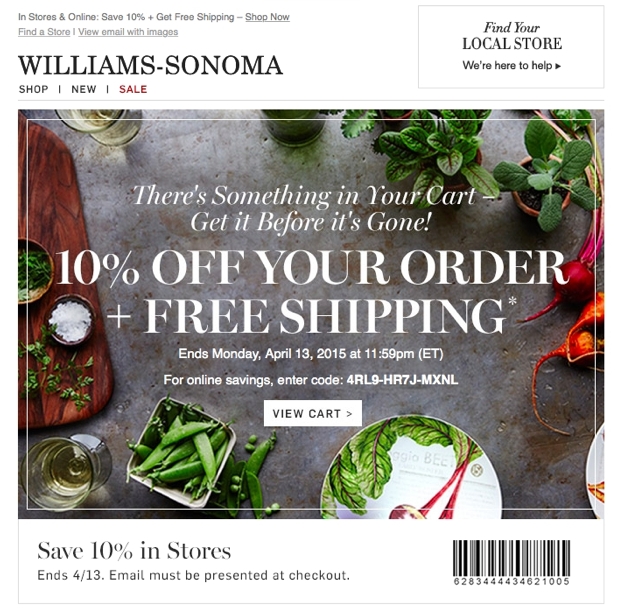
Make sure customers have all the information they need upfront to make a confident buying decision. This includes confirming the availability of the item; calculating promotional pricing or discounts; mapping out shipping options, costs and timetables; specifying whether or not sales tax applies to the purchase and clearly defining your return policy. Williams Sonoma shipping If a customer reaches checkout only to discover that the particular item they wanted is out of stock, ineligible for an advertised discount or costs more to ship than they are willing to pay, odds are good that will be the last you see of them.

2. Display relevant details in the cart.

The shopping cart itself should provide a clear overview of the pending purchase at a glance so that customers do not have to navigate away from the checkout process to confirm the details of their order. Keep in mind that by this point in the process, your shopper may well have clicked to and from the cart numerous times as they selected multiple items, browsed various categories of products or compared one item to another, and they may be fuzzy on the specifics of everything they’ve chosen. Without the benefit of being able to glance down into a physical shopping cart to review their selections, they need reassurance that the package that lands on their doorstep will contain exactly what they intend, so be sure to provide thumbnail images, descriptions, quantities, sizes, colors, prices, availability and applicable discounts for each product in the cart. Pottery Barn shopping cart

3. Allow changes within the cart.

Every time your customer navigates away from the cart, you’re running the risk of losing them, so make sure that they can edit details such as quantity, size and color without having to locate the product page a second time. Banana Republic shopping cart

4. Offer multiple payment options.

If you’re conducting e-commerce business online, your site should be tied in to a secure payment gateway. However, offering the option to complete the transaction through a third-party processor like PayPal or Google Checkout can put some customers – especially those who may not shop online often – at ease because they don’t have to release their credit card number and billing information directly to you. Conversely, PayPal and Google Checkout shouldn’t be the only options you provide. If a customer does not already have an account established with one of these payment processors, they may not want to create one just to do business with you.

5. Don’t require customers to create an account.

Without a doubt, it’s awfully tempting to require customers to create an account to complete their purchase because it will allow you to collect valuable data from them for future sales analysis and marketing. However, given the sheer number of social media and e-commerce sites that your customers likely interact with, they may very well have account creation fatigue. They may not want to establish yet another user account and password just to make a purchase, especially if they don’t necessarily anticipate ordering from you again in the near future. The best approach is to offer two options: checking out as a guest, which will expedite the process, or creating an account, which offers conveniences appealing to those who do shop with you often, such as eliminating the need to re-enter their shipping and billing information every time they make a purchase and allowing them to check on the status of an order. Crate & Barrel checkout The key is to let your customer make the choice that suits them best; don’t force the issue and lose a sure sale in pursuit of future marketing opportunities.

6. Simplify and streamline.

Online shoppers are notoriously impatient, so don’t ask for more information than you need to complete the transaction, and don’t break the checkout process into more steps than necessary. Make sure as well to display a breadcrumb trail that indicates how the checkout process will progress. If a customer can see at step one that they only have three steps left to complete their order, they won’t get impatient or frustrated as they move from one screen to the next, not knowing what’s coming next or when the process will be done. Anthropologie

7. Cater to the on-the-go shopper.

When evaluating your checkout process, don’t forget about mobile users. A customer may be standing in the bricks-and-mortar store of your competitor and comparison shopping on their phone. If you offer the better price, don’t you want to make it as easy as possible for this customer – who’s clearly ready to buy – to order from you on the spot instead? This is another reason why it’s critical to streamline the steps within your checkout process as much as possible as well as to ensure that form fields can be easily completed on touch-based devices. Walk through your checkout process on as many different types of mobile devices and platforms as you can get your hands on, and don’t waste any time in eliminating any obstacles or road blocks that you discover.

8. Don’t give up too soon.

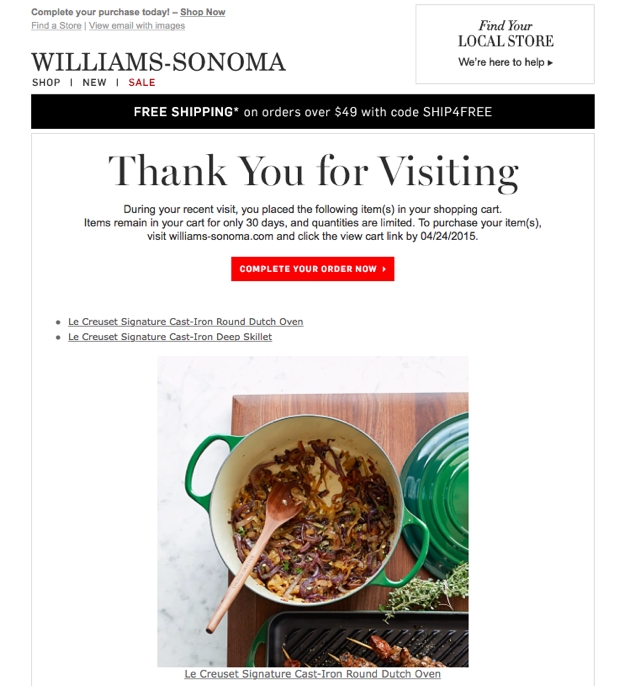
In the age of multitasking, sometimes a customer will simply get distracted before they have a chance to complete their transaction. The phone rings, the baby wakes up from her nap, the computer freezes, the pizza delivery guy arrives, etc. Or sometimes, they just need some extra time to make a decision while they continue to do research, get opinions from friends and the like. While you can’t do anything to mitigate this type of offline interference, you still have a chance to save the sale. A persistent shopping cart retains the items your customer has selected for a set period of time, whether that’s a few hours or a few days. When your customer has a chance to return to their computer, they can pick up exactly where they left off rather than facing the hassle of tracking down each item again, even if they had closed their browser window.

9. Never underestimate the importance of the human element.

If your customer has a question as they are progressing through checkout, the easiest, most reliable way to ensure they don’t lose momentum is to display your customer service phone number prominently at every step along the way. Ask Apple A simple question should have a simple resolution, and usually that is best provided in real time by a human being. If you leave your customers to their own devices to find the answers they need, you’re running the risk of allowing them to become distracted or frustrated and losing all interest in completing the order.

10. Reinforce trust at every turn.

As with all elements of doing business online, trust is key. In the absence of face-to-face human contact, you must rely on your website to build trust for you if you want customers to choose to spend their hard-earned dollars with you rather than with your competitor. Some elements of trust-building in e-commerce are obvious. Do you display your SSL certificate to reinforce security? Do you feature customer testimonials or reviews to boost confidence in your reputation? Is it easy to locate your company’s phone number, physical address and return policies so they feel assured that they can resolve a problem or obtain a refund without hassle? Other elements are less tangible. Does your site have a polished, refined look and feel overall, or does it look dated or sketchy? Do you offer value-added content like how-to videos or blog articles that convey to your customers that they are doing business with experts who are knowledgeable and passionate about their products? Thanks to the proliferation of Internet scam artists, the burden of earning trust with online shoppers is steep, but it is surmountable with careful attention to detail.