The Cult of Personality (Part 2)
November 2009
By The Author
Recently Fame Foundry had the opportunity to talk with Eliza Metz, the "Violet" half of
Lime & Violet. What began as a late-night conversation between friends led to a podcast for the yarn-obsessed that struck a chord with fellow fanatics.
The secret to their success is equal parts serendipity and savvy, as they have carefully grown and nurtured their legion of dedicated followers into a full-fledged knitting empire. Below Eliza shares some of the lessons she's learned along the way.
FAME FOUNDRY: Thank you for sharing this time with us.
ELIZA METZ: My pleasure. Did someone mention an open bar? (kidding, kidding...)
FAME FOUNDRY: You're known as Violet to your audience and most of the world. What's the origin of this name?
 ELIZA METZ:
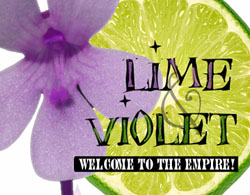
 Lime & Violet was born from late-night hysteria, actually. Miss Lime and I were driving to a fiber festival in Colorado about nine hours or so from where we live. We'd left late, and were having a few way-way-way-too-much-coffee moments, since it was 2 a.m. and neither of us were very coherent.
At one point, she misheard something I said, thinking I'd answered "lime and violet." The whole weekend, any time we didn't understand something, we'd just look at each other, say "lime-n-violet," and laugh at our own joke. We still do that even now.
On the way home, I told her we should start a podcast. There were only two knitting-related podcasts at the time (versus the 100+ there are now), and after explaining what a podcast
was, she agreed that it'd be a fun little project for our spare time. The name came from the inside joke, and since she really wanted to stay anonymous to avoid the crazies that proliferate on the Internet, we decided I'd be Violet and she could be Lime.
We had no idea that neither of us would ever have spare time again, or that random strangers would know us better by our "anonymous" names than our real ones. (Not that that's a bad thing, either, really.)
FAME FOUNDRY: So the podcast, which evolved into this massive business, was purely and spontaneously created out of your own interest in knitting and putting on a show for the fun of it?
ELIZA METZ: Simplistically speaking, yes, that was the genesis of the thing.
It's not to say we didn't have a plan, however. I'm one of those people who writes business plans for fun, so we had a pretty good idea before we ever put voice to mic where we wanted it to go. The problem, we found, was that we didn't dream big enough or fast enough, really. It took on a life of its own pretty quickly and started branching out pretty organically from there.
But, yes. It was just for the fun of it at the time.
FAME FOUNDRY: Sounds like you were expecting this from the beginning.
ELIZA METZ: We were. I think we didn't know the whole extent of just
how big it would be, or what it would spawn, but we knew it had the potential to be big. Or maybe we just didn't know how big "big" really was at the time, which is probably a good thing. If we'd known about all the work, we may have given up and decided to take up macrame instead.
FAME FOUNDRY: What was the first sign that let you know this was big.
ELIZA METZ: Oh, man. That's an easy one.
A couple of months after we started the show, we had quite a few (we thought at the time) online "fans." The community was starting to form, and podcasts in general were becoming a bit more well-known in yarncrafting. It wasn't uncommon to get e-mails with offers of yarn or undying love, and we were okay with that. It was all kind of remote and surreal.
Then one night we were in a local yarn shop in Nebraska, and a customer -- a complete stranger -- stopped her transaction and asked if I was Miss Violet.
blinkblink
She recognized me by my voice, which I hadn't really expected.
So we made a huge joke about it all, started calling ourselves rock stars and carried well-publicized purple and green Sharpies in our purses so we could sign boobs at yarn stores.
No, really. (And, yes, we've signed them.)
FAME FOUNDRY: And thus began 'The Empire'?
ELIZA METZ: Of a sort. There was a fair bit of work from there, but it was the first time we realized that we had a little bit of sway with the knitters, and it sort of drove home the fact that we had this fabulous base of customers who were listening to us, for sure.
Empires aren't built in a day.
FAME FOUNDRY: And the Empire seems to even refer to itself as 'The Empire." Quite a stunt there.
ELIZA METZ: Of course it does. Luckily, we're benevolent rulers.
FAME FOUNDRY: So everything -- the blog, the store -- evolved out of the podcast?
ELIZA METZ: In a sense, yes. All of it sort of grew organically around the podcast's evolution. It's a little hard to explain, really.
See, while a lot of the places that the podcast has grown into are completely random and unexpected (happy accidents, of a sort), we sort of knew where we wanted it to go from the beginning. We had this ridiculous business plan before we even put down the first tracks -- more of a wish list of activities than an actual business plan, per se. We had it structured so that growth would be based on the number of listeners because we truly thought that it would give us quite a bit of time to do things. At 100 listeners, we'd set up the message boards to let the fans talk to each other and start building a community. At 500 listeners, we'd start putting together the first knitting pattern book...that kind of thing. I remember writing down a milestone for 5,000 listeners and thinking that was just
crazy, that we'd be waiting for YEARS before that ever happened.
Three months later, we hit 5,000. I sat back, took a screenshot, sent it to Lime and told her that, perhaps, we should look into changing the structure of our business plan.
Ahem. Duh, right?
The problem, we found, was that we didn't dream big enough or fast enough, really.Not all of what we've done has been a part of the plan, since we had to scrap most of that pretty early on. We had a catastrophic lightning strike that took out our first book and the back-up copies thereof. Local hotels laughed at us when we approached them about doing a knitters' retreat on a full floor of a hotel (even though we had over 1,000 people who had filled out the form saying they'd come to our slumber party weekend). We tried partnering with various yarn/knitting-related companies for co-branded product support, but we found that contract law isn't quite our strong point and the brand started diluting a little. Lots and lots of learning experiences in that first year or so.
If you want something done right, you need to do it yourself. So we started doing dyed sock yarns, which sprouted off into bath and body stuff when we talked a lot about the indie companies. The blog was just a way to pass on information to the listeners every day, since the volume of really fabulous projects and patterns and yarns coming into L&V Central was just too much to talk about on a weekly show.
We keep learning all the time. It's one of the best things about the way we just dived right into this. Had we KNOWN the kind of work we were in for, we'd have turned tail and run, honestly. Our ignorance saved us from the get-go, really.
The big lesson from the past year -- at least for me -- has been that narrowing the focus of what we're doing isn't nearly as counterproductive as I thought it'd be. We launched the Intention Yarn line, which has a very, very narrow focus (and, uh,
intent), but it does 10 times better than our generic sock yarns did, largely because people know what they're
about. They get the concept, so it's something they can buy not just to support their Lime & Violet addiction, but for a specific purpose of creation, and they seem to dig that. Same with things like the Neil Gaiman project, TheFatesThree.com -- which isn't just generic knitting patterns, but patterns all created with a theme around a particular author's works -- the narrowing-down process made the focus just that much more clear for both listeners and the occasional non-listener who stumbles upon it.
There are other projects unrelated directly to Lime & Violet -- KnitLife, which is an oral history collection process that's just getting going, for instance. While it's not directly related to the show, I've got no illusions that being "known," so to speak, doesn't help promote the projects or get the word out there.
Whether or not it's an obvious connection, the Empire doesn't just affect the success of the stuff we do -- it's the basis for it.
FAME FOUNDRY: You share a lot of yourself with your audience and the community that has formed around the Lime & Violet brand. Where do you draw the line between your personal life and what you broadcast to the public?
ELIZA METZ: There's supposed to be a line?
(You can't see me right now, but trust me, I'm laughing relatively hysterically.)
If someone has listened to every single show, they know more about me than my own mother. Before there was a Lime & Violet, there was me. And way back in the olden days of the Internet, when you used to have to do markup by notepad and ftp everything from a command line and design was largely a matter of tables with varying cellpaddings (and we rode dinosaurs to school both ways uphill in the snow...), I was one of those freaks with an online journal. (This is in the pre-Greymatter, pre-typepad, pre-blog days. Told ya it was in the prehistoric era.) I was one of the original 50 nutjobs who thought that their own lives, as mundane as they may be, were interesting enough to warrant putting it out there for the world to read. (And, incidentally, comment on. Good heavens, the e-mails...)
Coming from this background and posessing of some kind of weird self-revelatory urge that's probably borderline pathological, I don't
have a line most of the time. There are some things that we don't talk about much on the show, and we try to maintain the anonymity of the innocent (relatively speaking), but for the most part, if someone has listened to every single show, they know more about me than my own mother. I'm still not sure if that's a good thing or not.
Contrast that with Miss Lime, who keeps a
very strict bubble around her identity. No pictures of her are allowed on the site other than one that she swears looks nothing like her. Nobody knows her real name. For a while, we even kept it secret that we're in Omaha, though that slipped out through other channels. She's pretty convinced that the crazies would find her if they knew her name, and for that, I can't really blame her. The Crazy is pretty much everywhere on the Internet.
FAME FOUNDRY: You mentioned the "crazies" on the Internet. What's the craziest encounter you've had with a an Internet fanatic?
ELIZA METZ: I could tell you stories that would probably make Dateline NBC producers salivate. For the most part, we've found that knitters are a pretty sane bunch, with a few notable exceptions, but the combination of Internet anonymity and pseudofame still brings out the occasional whackjob.
For instance, once we mentioned on the show that we love our fans. We love them so much that we'd love to invite them all over to my house for a great big slumber party. I mentioned that I have a guest room and a couple dogs that are quite fond of visitors, and I make a mean cookie. While intended to be kind of a joke, apparently I sounded serious enough that one girl found my real name, looked up my address and drove NINE HOURS to my house, where she got out of the car with four overnight bags (three of them were knitting projects-in-progress, I might add), and just expected to stay.
Um. Oh-kay...
She ended up staying three days. Great girl, but omg we
never said anything like that again.
Then there was the lady who didn't understand personal space and kept petting my hair. Or the one who named her babies after us. Or the one who, when we didn't write her back in an arbitrarily selected timeframe, made a WE HATE VIOLET website.
I wish I was kidding.
The Crazy. She is everywhere.
FAME FOUNDRY: You're active on Twitter, Facebook and Plurk, though you use Plurk as your micro-updating site of choice. Why's that?
When it comes to what we're trying to do -- building a community rather than just a following -- there needs to be interaction. ELIZA METZ: For me, it's a matter of connection. Twitter and Facebook and all the other myriad microblogging sites out there are all fine and good for most things, but it's largely one-way communication. You broadcast what you're doing to the world. Which, again, is all fine and good, if that's what you're looking to do.
When it comes to what we're trying to do -- building a community rather than just a following -- there needs to be interaction. A conversation rather than just blindly telling people what you had for lunch. And Plurk has a format that depends on conversation and commentary to stay interesting, so people get involved. Once a fan is invested in a conversation, either with me or with the other followers, they feel like they're part of it. Instead of just reading ABOUT someone, they're talking WITH them.
It's just a more human format to me, and it's the one I end up going back to over and over again as a result.
FAME FOUNDRY: Art journaling is a big part of your life. How has this influenced your artistic approach online?
ELIZA METZ: Through art journaling, I've found out a couple of big things about my own aesthetic. I really like handwritten things (more personal). I can have all the colors in the watercolor box, and I'll still end up with a white or mostly white background (which unclutters things for me visually). And white space keeps me sane.
I don't claim to be any kind of techno-head web person who writes code in my sleep. In fact, I'm one of those freaks who
still uses Notepad for most things. Call that a disclaimer from a semi-luddite here.
That said, almost everything I put out there has a lot of that same, rustic, plain-looking, hand-hewn feel to it -- partially from just not knowing how else to do anything, and partially because that IS my approach. And if it works, I see no reason to fix what isn't broken. I'm just happy when there aren't broken links and people look at it now and again.
FAME FOUNDRY: Thank you for sharing your vast experiences in building this empire you have.
ELIZA METZ: And thank you for the interview. That'll be four goats and a skein of good cashmere, payable to the jester by the door.
 Elli Metz is the benevolent ruler of the Lime & Violet empire, which includes the independent republics of media, yarn, perfume and history. When she's not wearing her crown (which she often does), her job title is "starmaker," a fact that still amuses her.
Great authors are defined by their ability to set fire to the written word. All too often in today's digital information age, that creative spark is stifled, leaving the Web littered with content that is lifeless and ineffectual. Fame Foundry's Author has made it his mission to revive the act of writing as an art form, harnessing the power of language to command attention and ignite a following. It's the difference between telling a story and building a legend.